![AtomLearningLogo_White-1.svg]](https://knowledge.atomlearning.io/hubfs/AtomLearningLogo_White-1.svg)
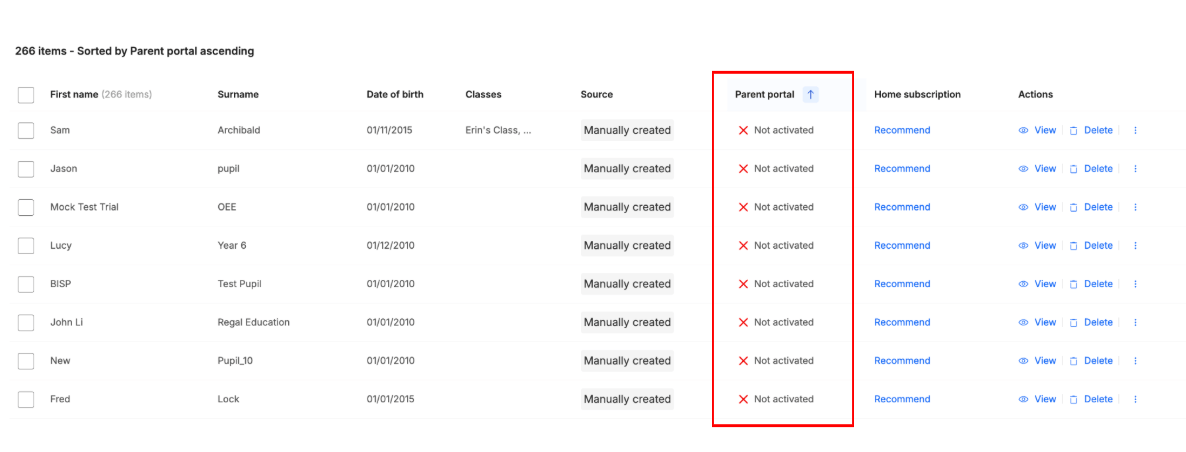
To check which pupils have an active parent account you can follow these simple steps:
- Select 'manage pupils'
- Click on the 'parent portal' column to filter
For any parents that have not yet activated their parent account, you can send out this pdf to support them with the set up.
If you would like to send out login details to multiple families at once, just get in touch with us at schools@atomlearning.co.uk for support.